GitHub, without the detour.
Find repositories, issues and pull requests. Check assigned work, review requests and notifications with your own GitHub connection.


Your Mac, within reach
Open apps, find what you copied, and get back to work. All from one shortcut.
Download for Mac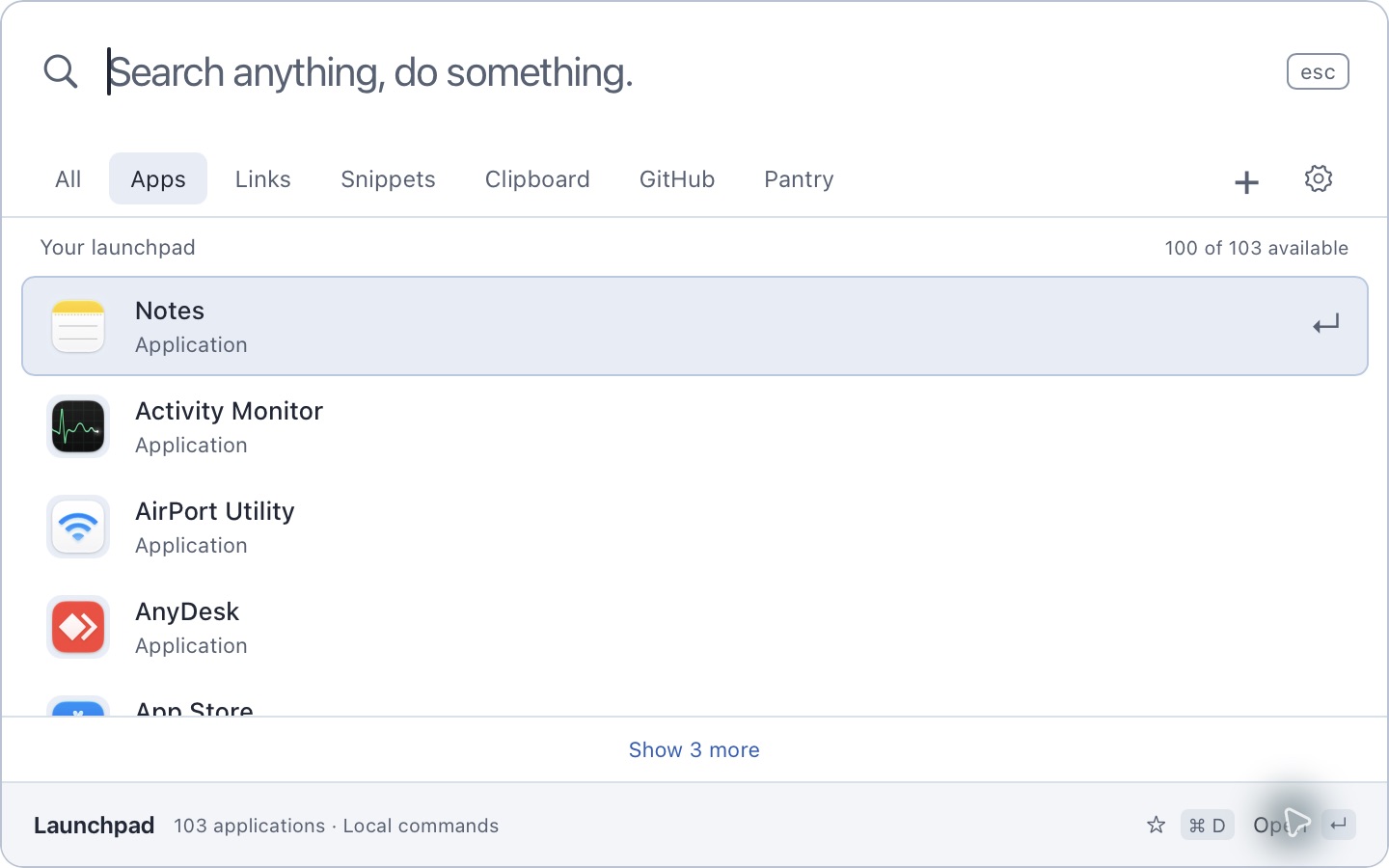
Press once. Start typing.
Your search is already focused.
Free for Apple Silicon Macs.
macOS 13 or later.
Built in the open with Stacks.
Make it yours.
Find repositories, issues and pull requests. Check assigned work, review requests and notifications with your own GitHub connection.
Turn on Clipboard History to revisit saved text. Preview it, copy it again, or clear it. You choose what stays.

Give your regular destinations a shortcut. Open a link as quickly as an app.
Keep the text you use often ready to find and copy.
Type an expression in search. Get the answer without opening another app.

Browse Pantry's catalog of apps, command line tools, libraries and fonts. Install through Launchpad and follow the job as it runs.
All keeps your installed tools close. Pantry shows the full catalog when you want something new.
Set up PantrySee how you use Launchpad, from apps opened to time in the palette. Local usage data lays the groundwork for your future year in review.
Launches, visible time, successful app and link opens, and Pantry installs by package type.
Usage lives in the app's local database. Search queries, URLs and clipboard contents are excluded from usage records.
Inspect, pause or clear usage in Settings. Clipboard History is a separate, opt-in feature.
A few details before your first Command + Space.
Download the latest signed, notarized release for Apple Silicon. Open the disk image and move Launchpad to Applications. If you use Pantry 0.11.141 or later, install it with:
pantry install --user --kind app launchpadLaunch it once. If another app uses Command + Space, release that shortcut in its settings first.
Install Pantry separately, then run:
pantry desktop setup --yesConnect in Launchpad Settings with the single-use pairing code. The connection is stored in macOS Keychain. Pantry's local service handles installations.
Public GitHub search works without signing in. Add your own access token for private repositories and personal work. Launchpad saves it in macOS Keychain. GitHub searches are sent to GitHub.
Choose System, Light or Dark in Settings. Command + Space opens and focuses search, Command + Delete clears it, and Escape dismisses the palette. Clicking another app dismisses it too.
Yes. Launchpad is free and open source under the MIT license. The current Mac download is available on GitHub.